Platform Features

Powerful Features for Every Aspect of Your Business

From scheduling and billing to your phones and your website, every tool you need to run a class business.

Class scheduling and management interface
Scheduling

Class Scheduling & Management

Build your entire class schedule with powerful tools that adapt to how your business actually works.

  • Recurring schedules with flexible day/time patterns
  • Multi-location support with location-specific classes
  • Capacity management with automatic waitlists
  • Categories and collections for organized class catalogs
  • Instructor assignment and schedule management
  • Holiday-aware scheduling that auto-adjusts
Enrollment

Student Enrollment & Attendance

From first inquiry to daily check-in, manage the complete student lifecycle.

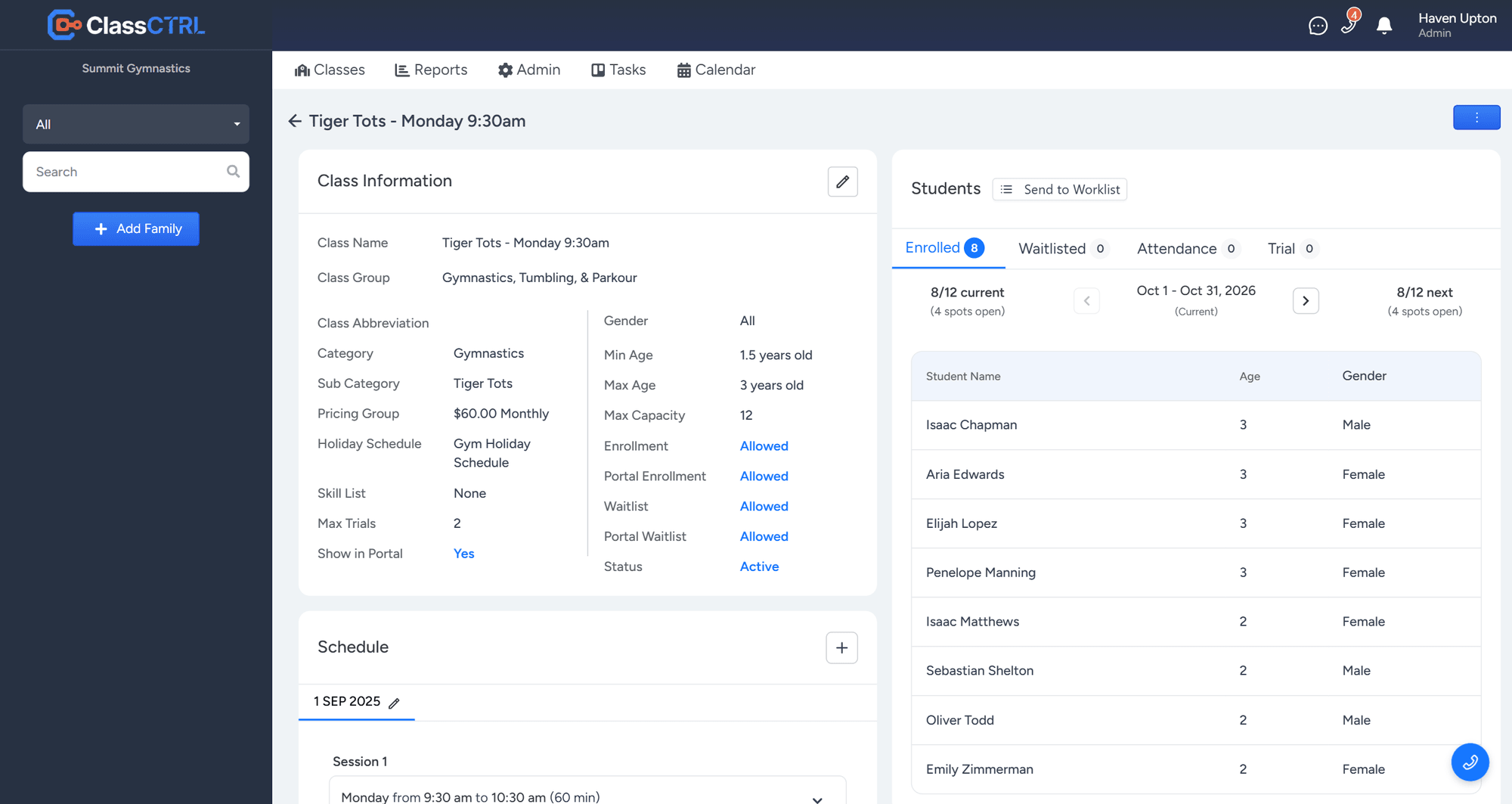
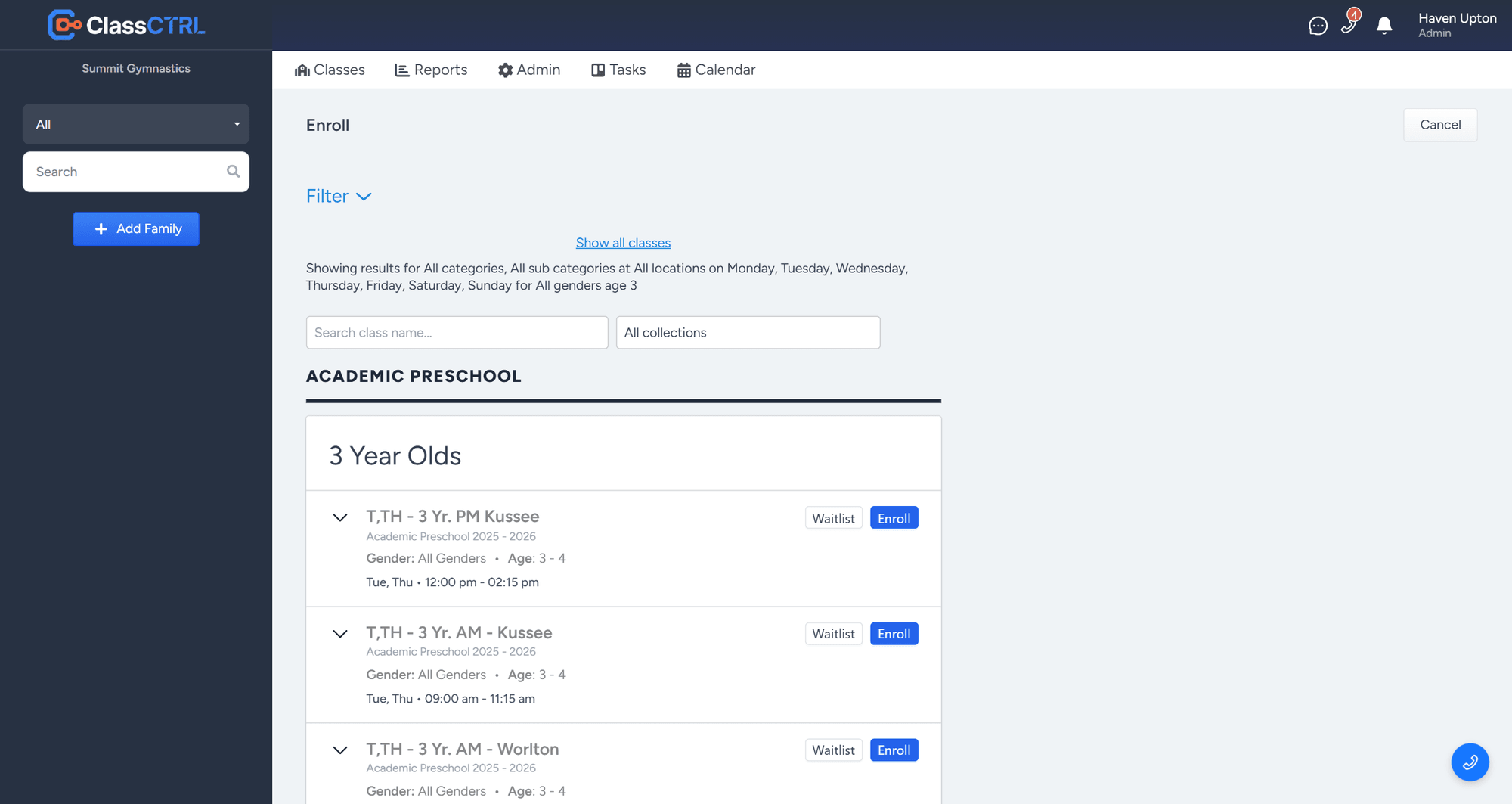
  • Flexible enrollment with customizable start/end dates
  • Trial class management with dedicated calendar
  • Attendance tracking with student photos
  • Kiosk mode on locked-down staff tablets for taking attendance
  • Detailed subscriber profiles with history
  • Family management with linked students
  • Digital waivers with e-signatures
  • Skill pass-off sheets that parents can see in the portal
  • Annual registration fees with sibling rates
Enrolling a student in a class
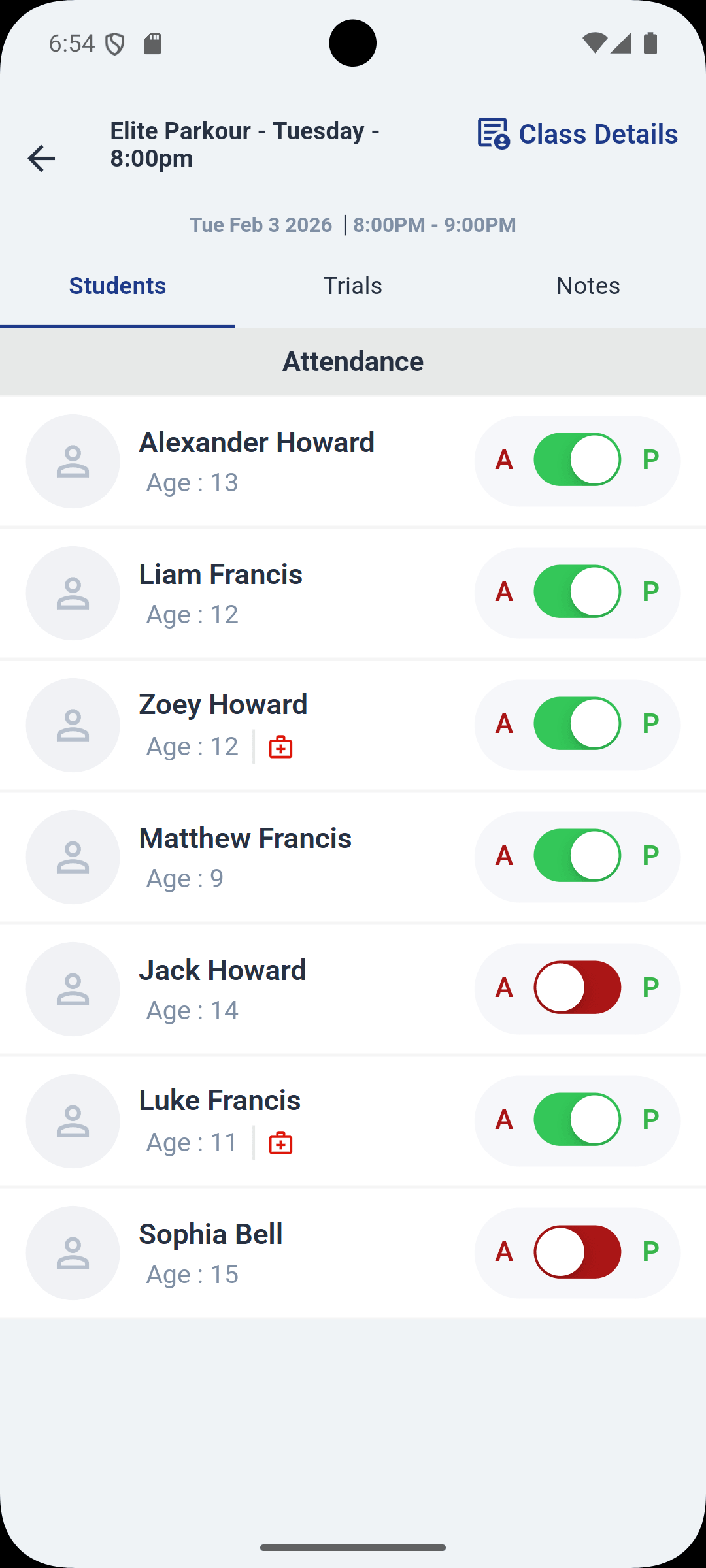
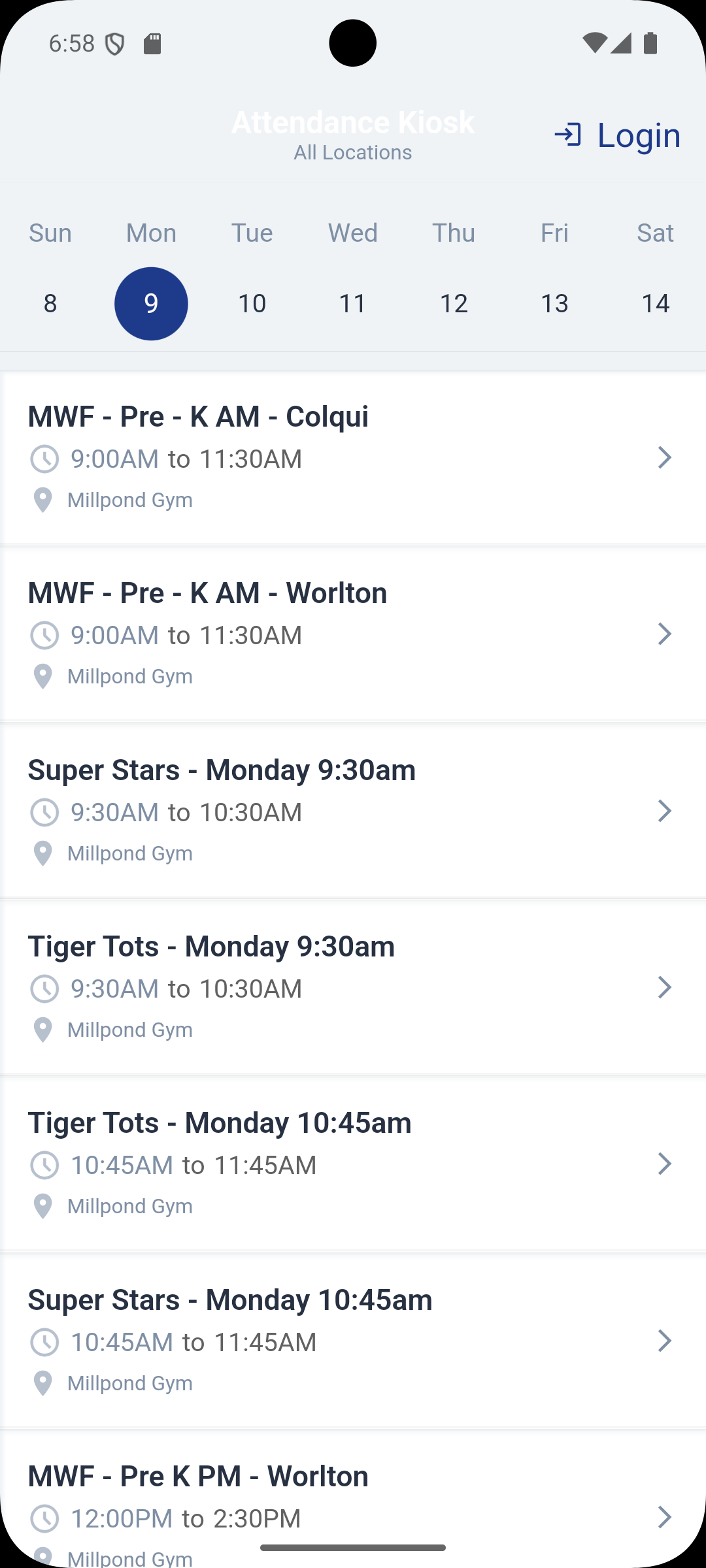
Taking attendance in the staff mobile app
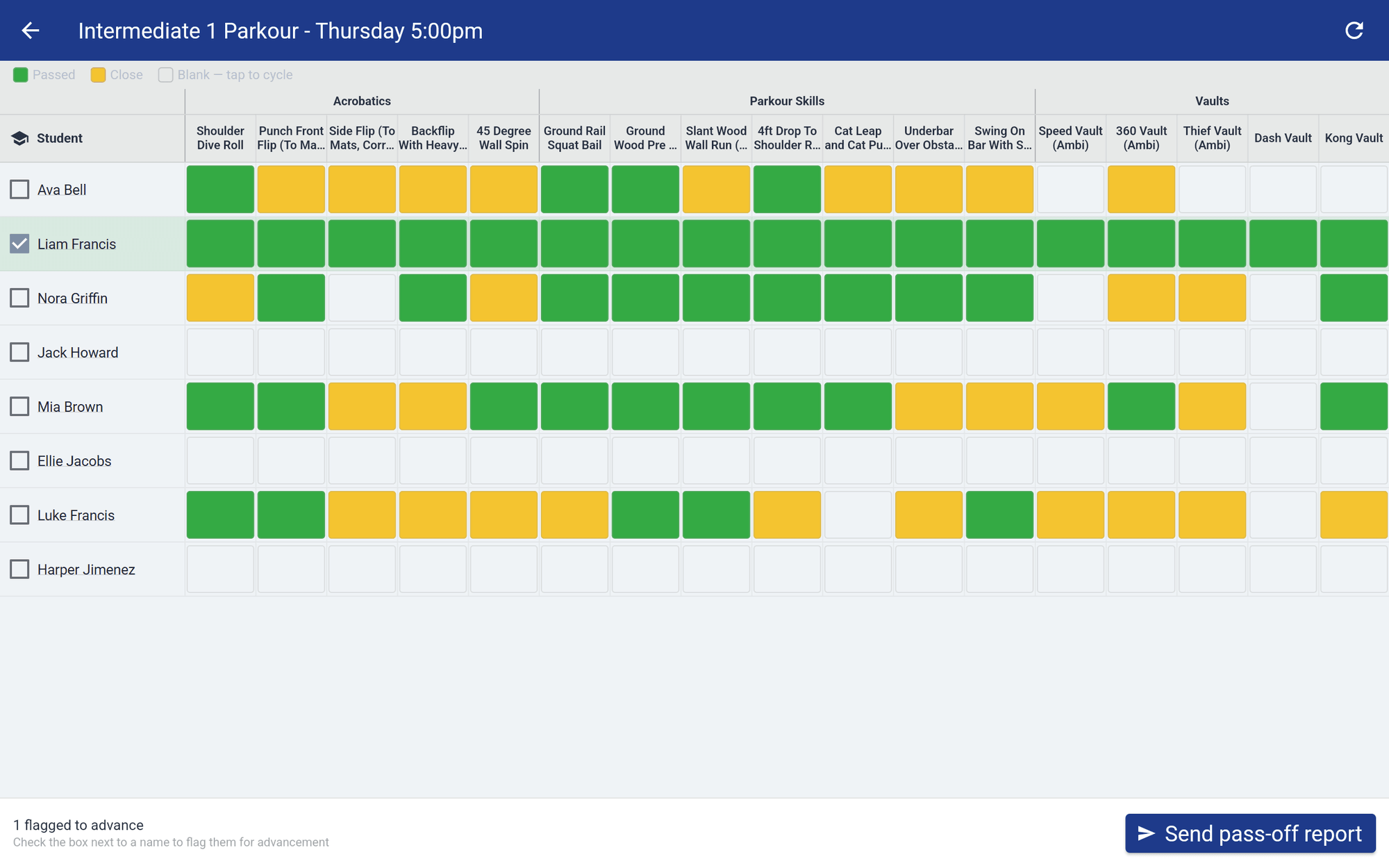
Pass-off sheet on a tablet: students down the side, skills across the top, each marked Passed or Close
Skills & Progression

Skill Pass-Offs That Move Kids Up

Replace paper progress sheets. Coaches mark skills during class, families see the progress, and you know exactly who is ready for the next level.

  • Build skill lists for each level, grouped by category
  • Coaches tap to mark each skill Passed or Close, right from a tablet in class
  • Send families a pass-off report, and parents see progress in the portal
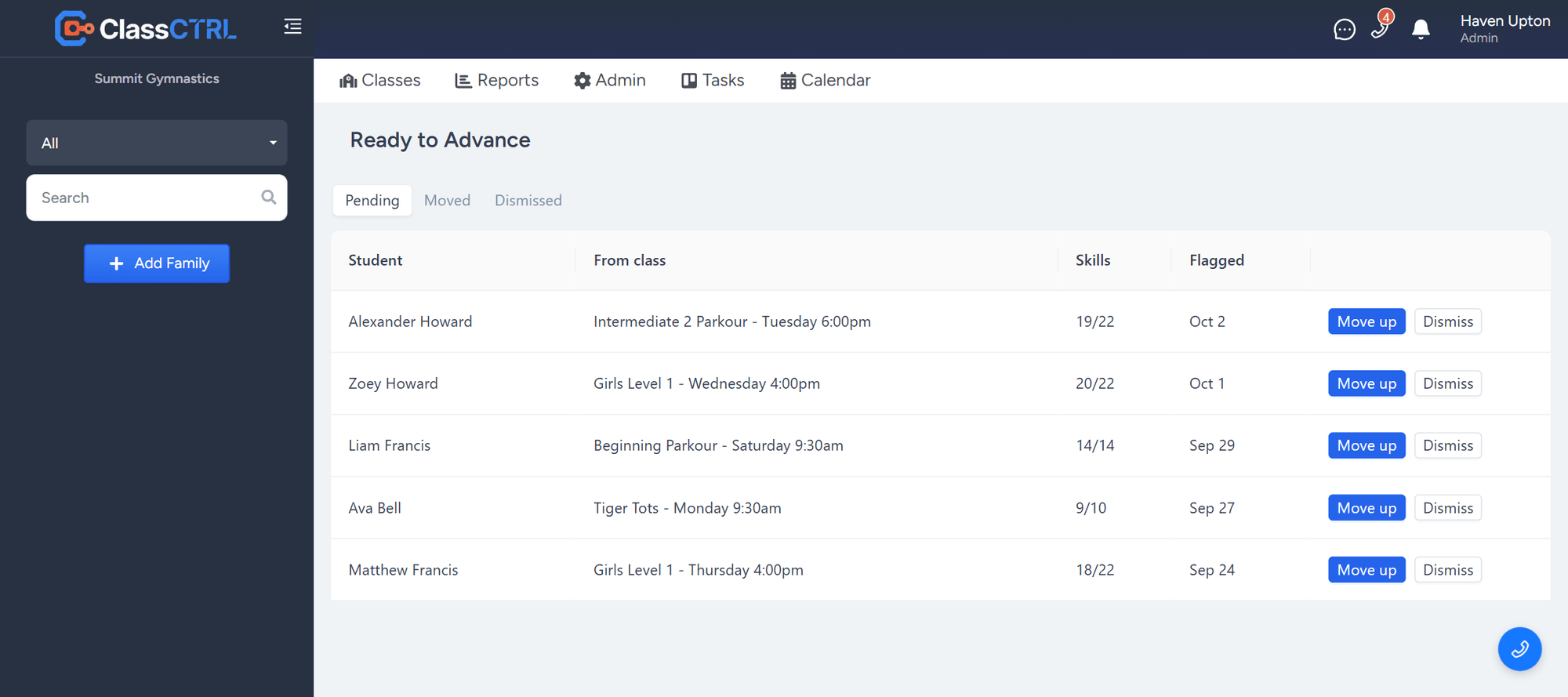
  • Flag students who are ready, then review them on one Ready to Advance list
  • Move a student up to their next class straight from the list
Ready to Advance list with each student's class, skills passed, and a Move up button
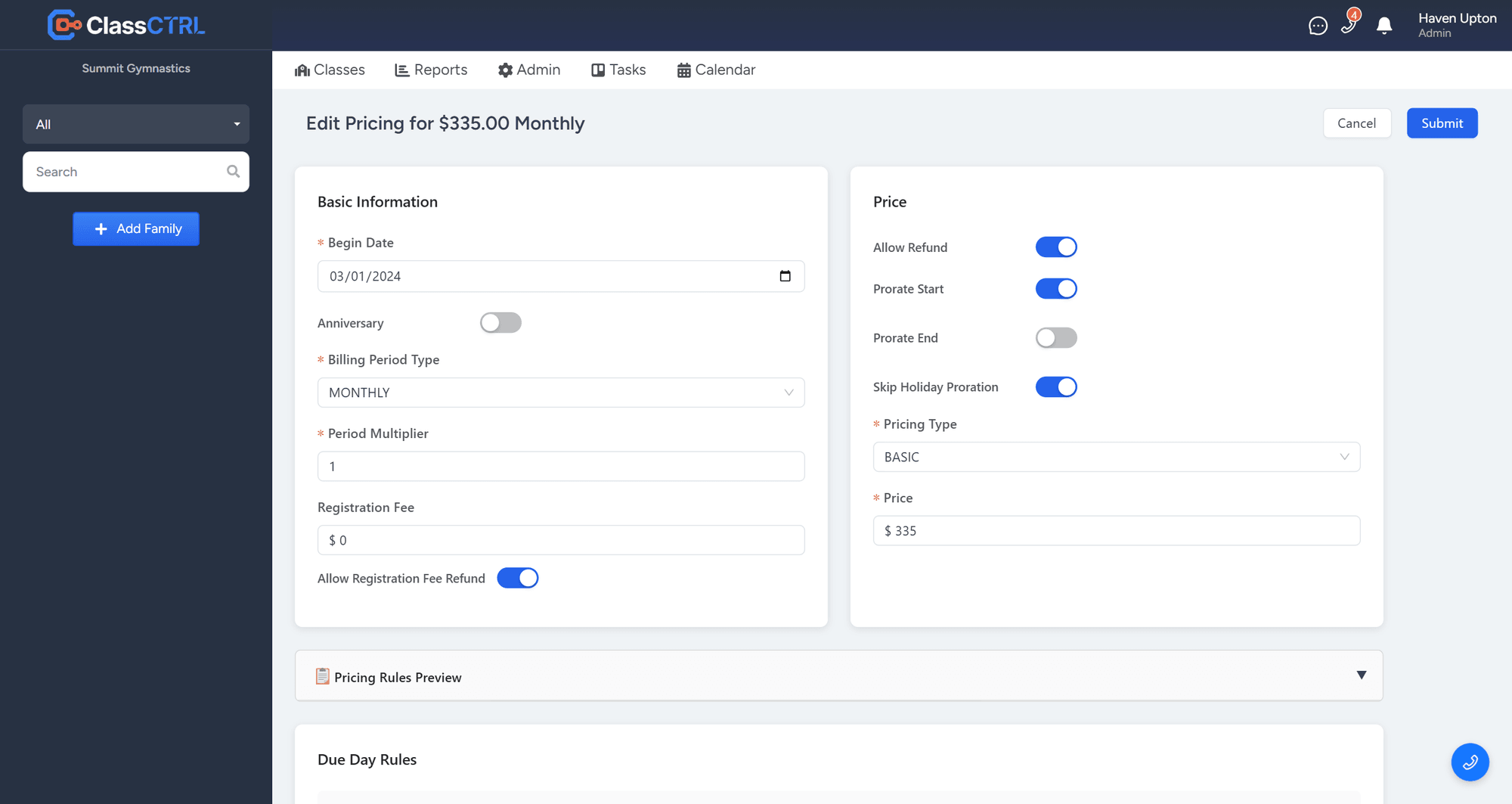
Automated billing engine configuration
Billing

Automated Billing Engine

A pricing engine sophisticated enough to handle any billing scenario, yet simple enough to configure in minutes.

  • Dynamic pricing: tiered, volume, and flat-rate options
  • Early bird discounts with configurable due day rules
  • Late fees automatically applied based on payment timing
  • Automatic proration for mid-period changes
  • Give any family a discount by hand, or set up discount rules that apply automatically: multi-class, flat amount or percentage, and more
  • Per-customer pricing overrides
  • Background automation: billing runs on schedule
Payments

Online Payments

Accept payments seamlessly with enterprise-grade security and multiple gateway options.

  • Credit card and ACH payment support
  • PCI-compliant hosted payment forms
  • Secure card tokenization
  • Refund and void management
  • Returned ACH payments, such as NSF, are reversed on the family's account automatically, and both the family and your staff are notified
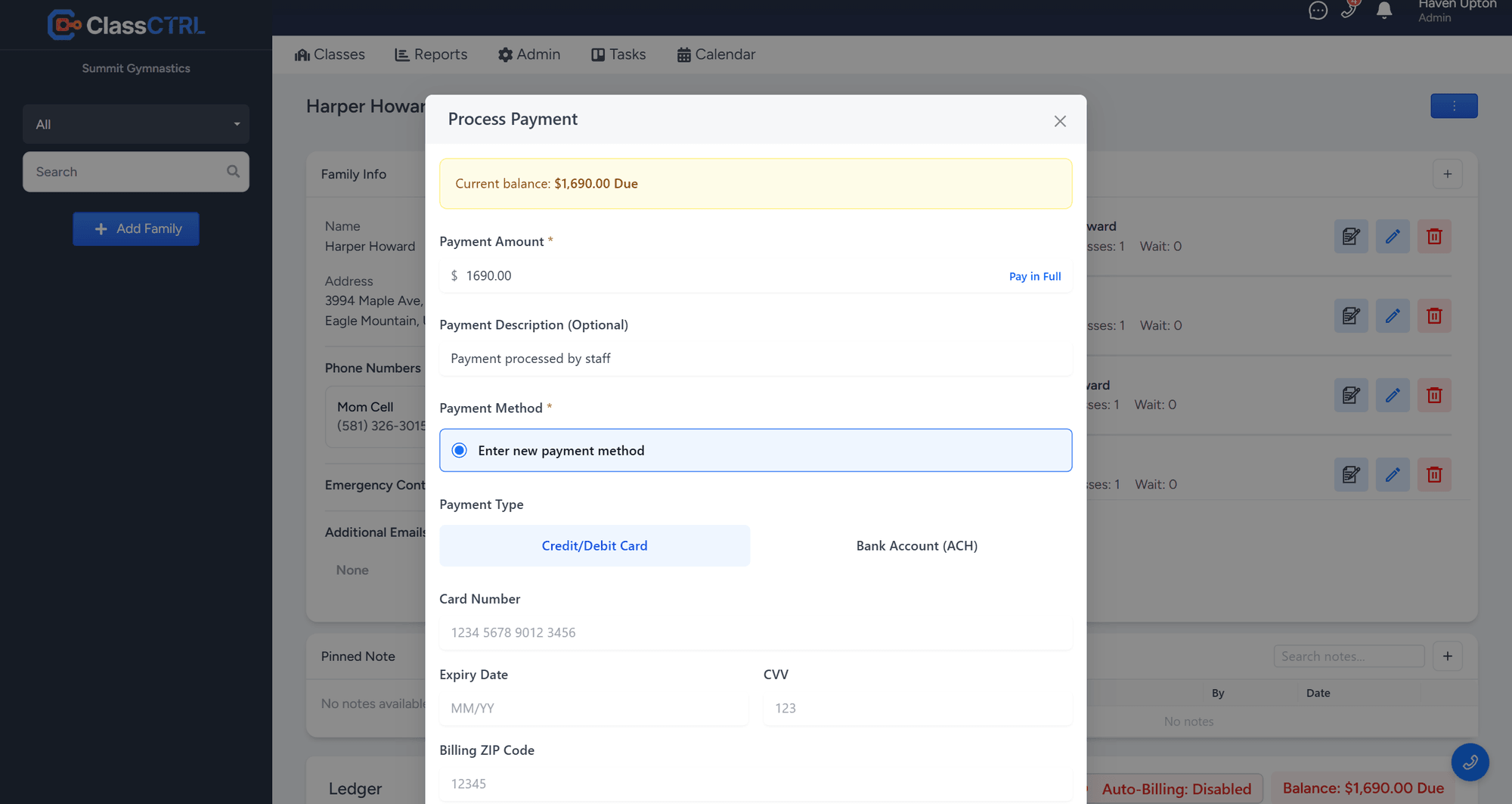
Taking a card or bank payment from a family account
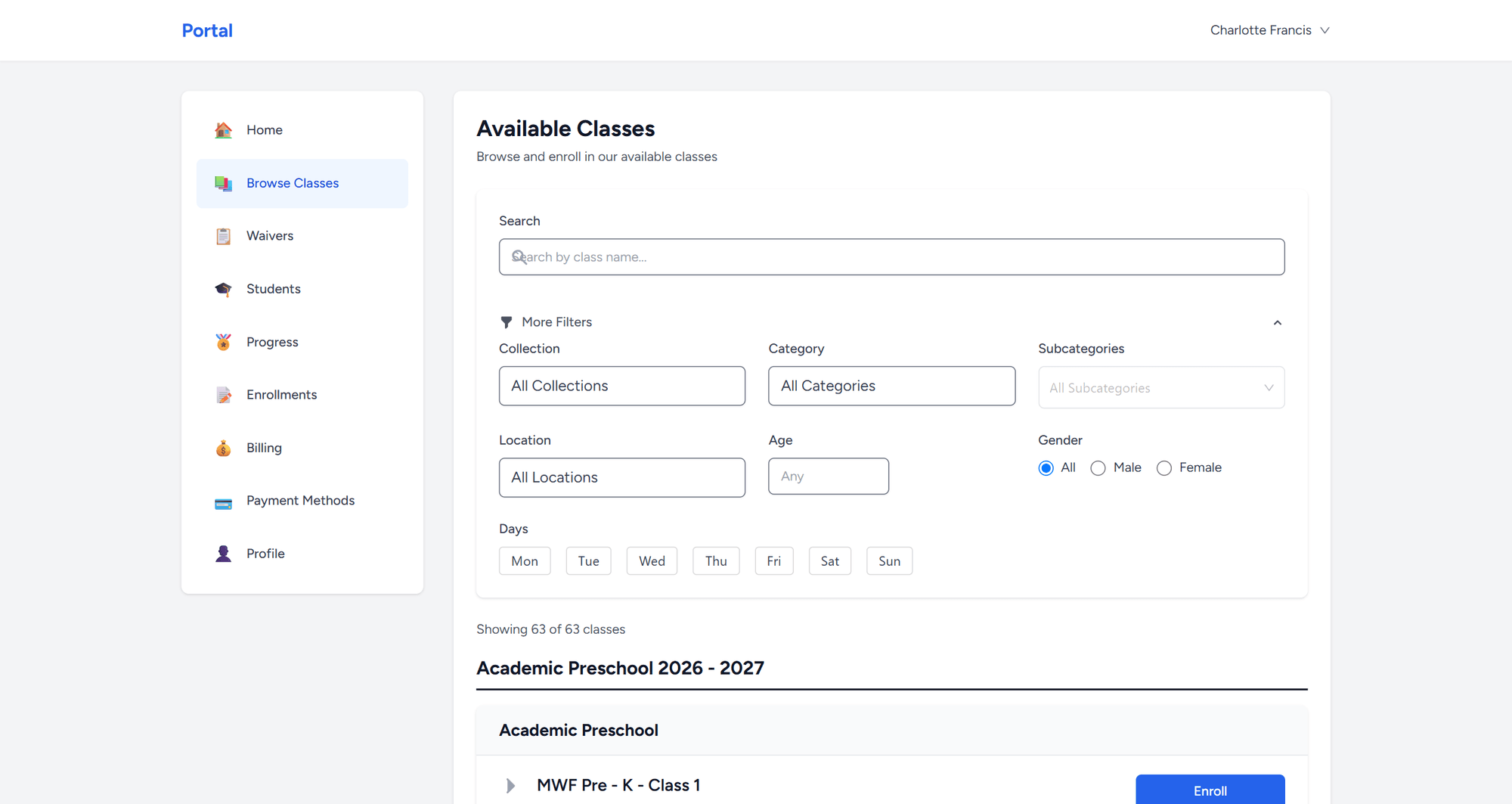
ClassCTRL Customer Portal — Browse and Filter Classes
Portal

Customer Portal

Give your families a beautiful self-service experience that reduces your workload.

  • Self-service class browsing and enrollment
  • Magic link login — no passwords to remember
  • Online payments with saved payment methods
  • Billing history and receipt access
  • Public class catalog embeddable on your website
  • Mobile-friendly responsive design
Website Builder

A Website That Stays in Step With Your Classes

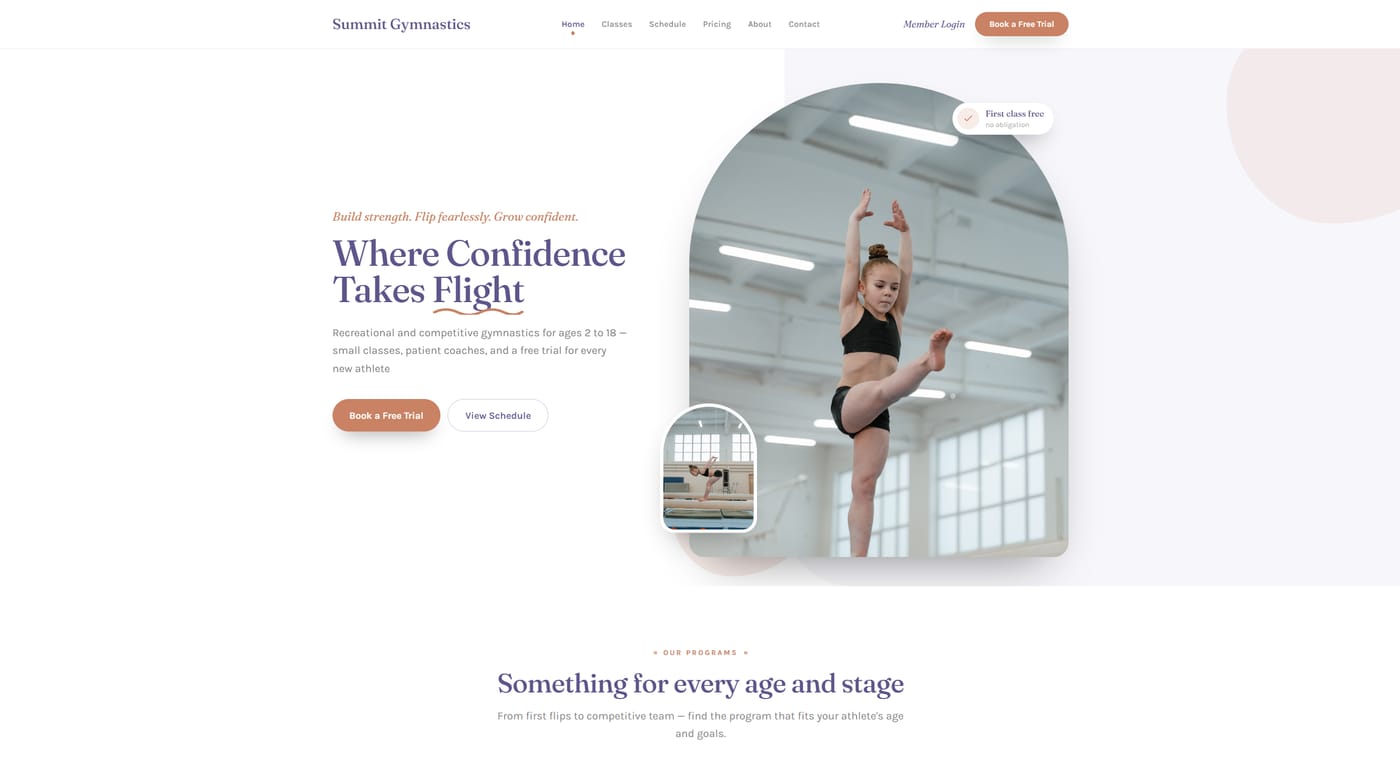
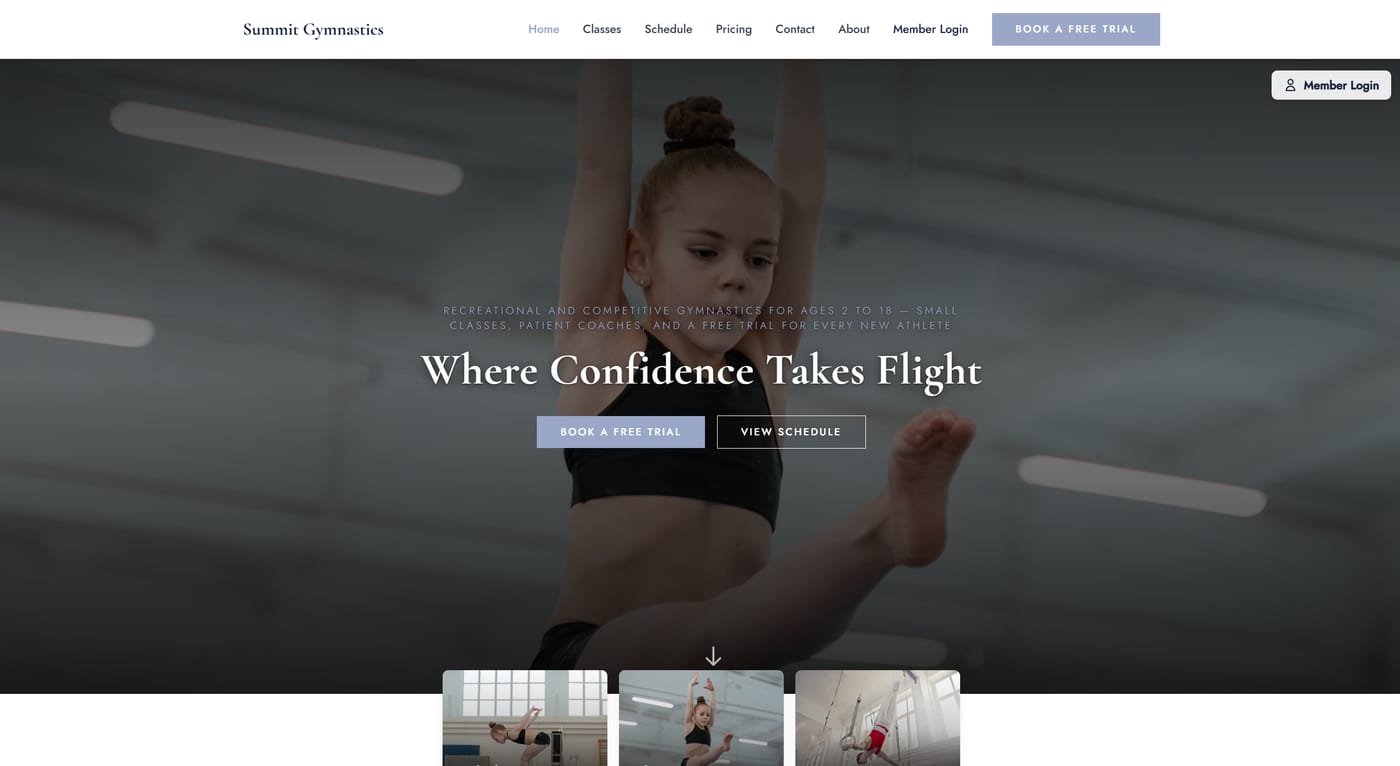
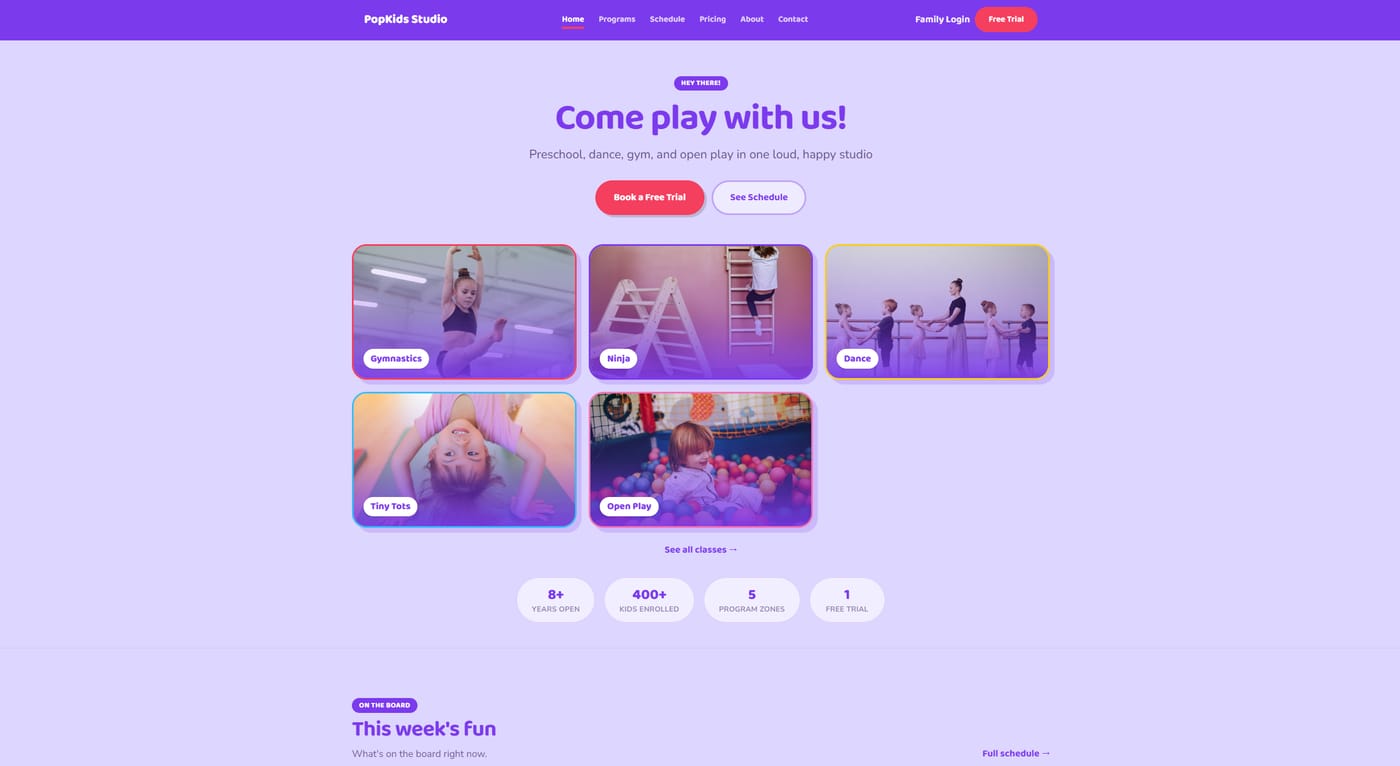
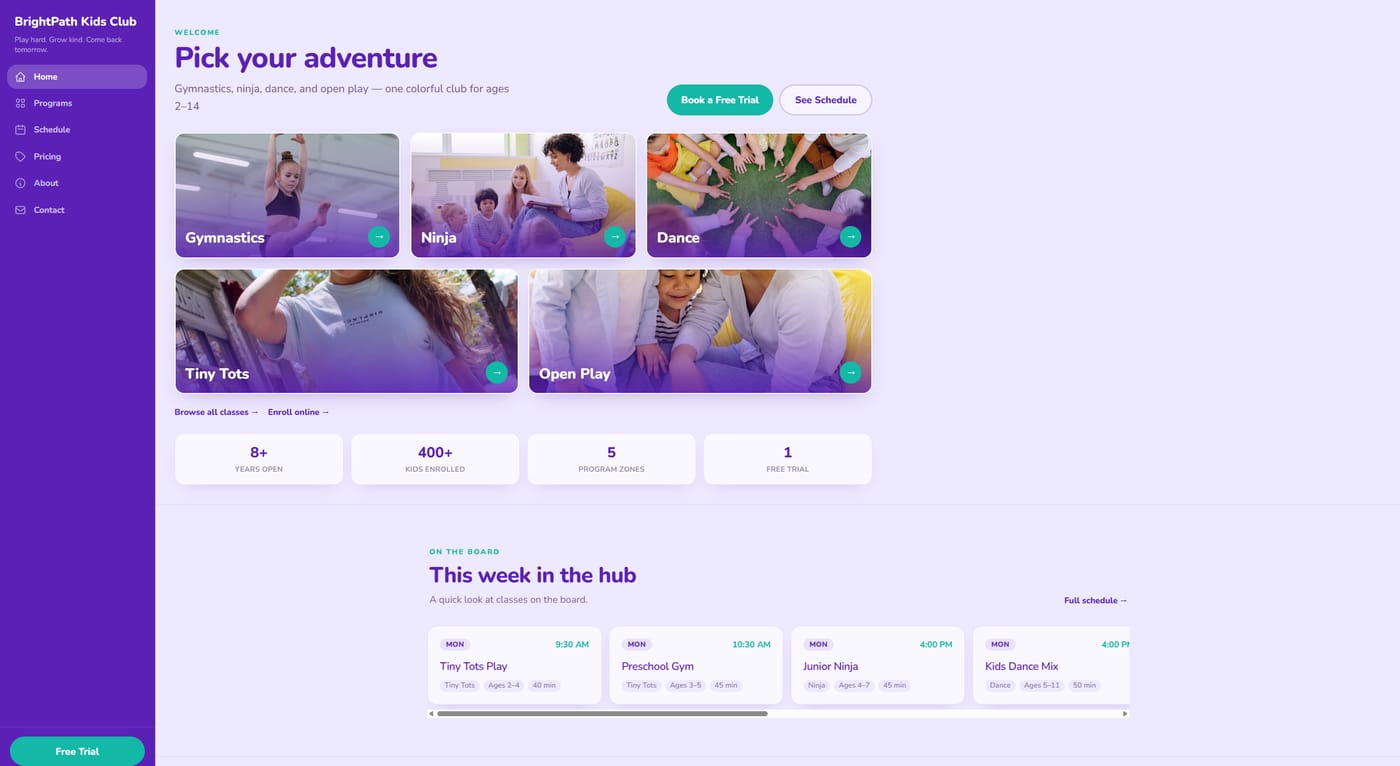
Pick a template, add your logo and colors, and your site fills itself in from the classes you already manage in ClassCTRL. When your schedule changes, publish again and the site matches.

Build and preview your whole site for free. Publish when you're ready.

Juno website template

Juno

Kids activity centers, cheer, rec gymnastics

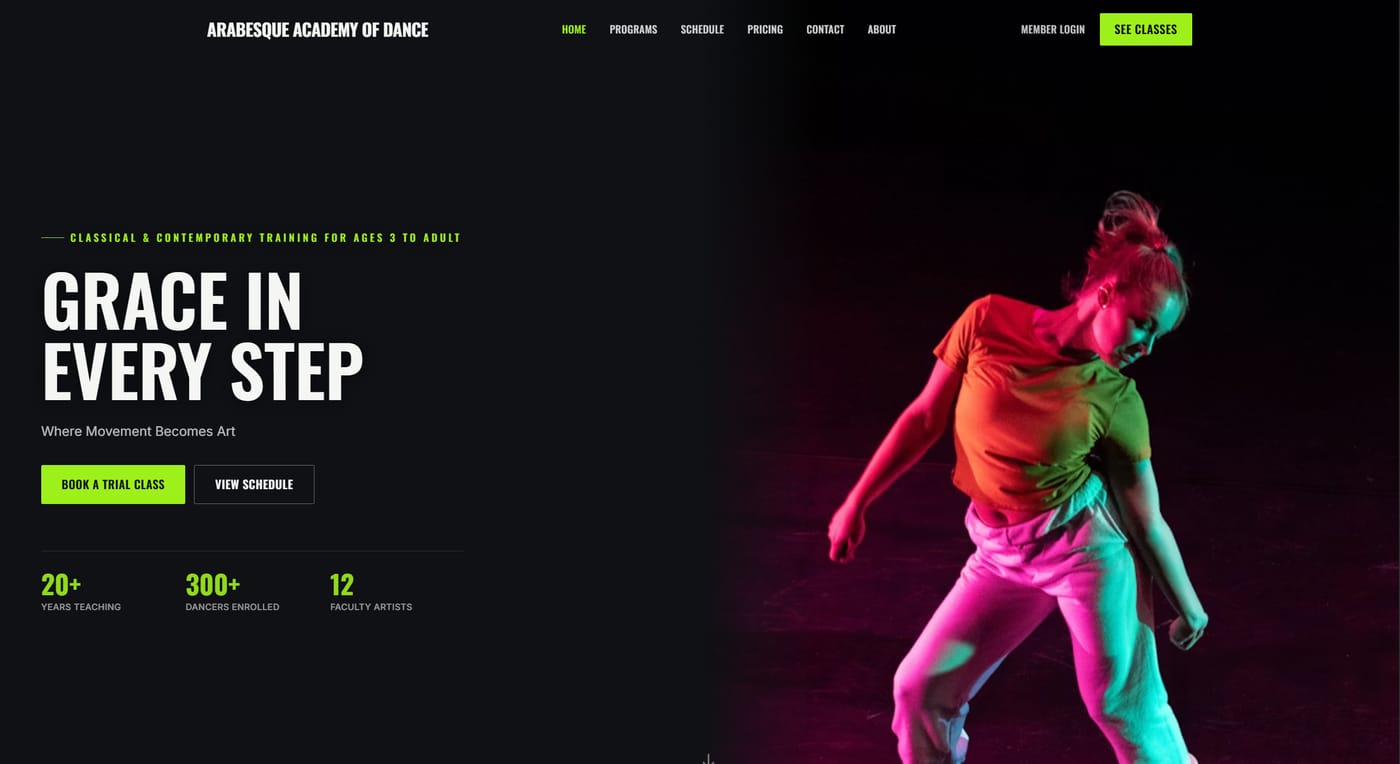
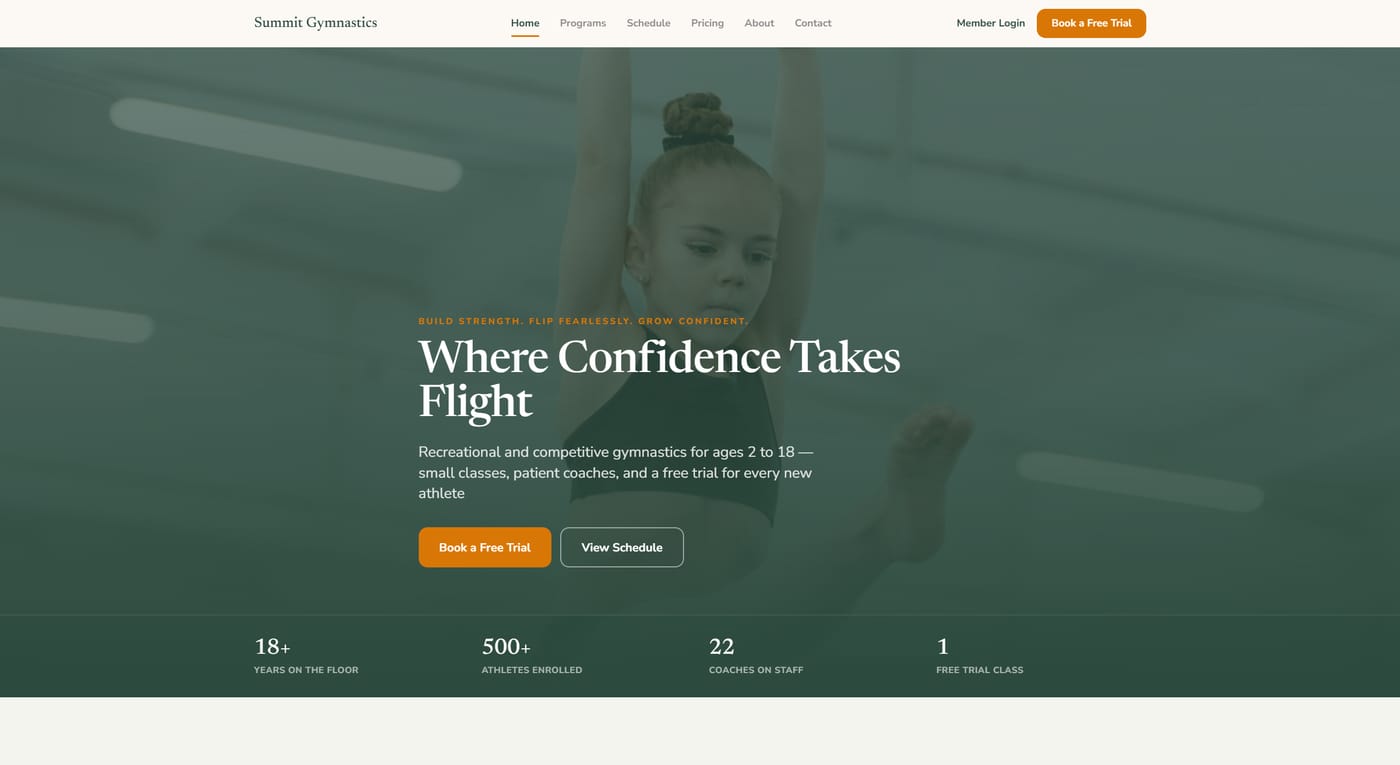
Vertex website template

Vertex

Competitive gymnastics, cheer, performance dance

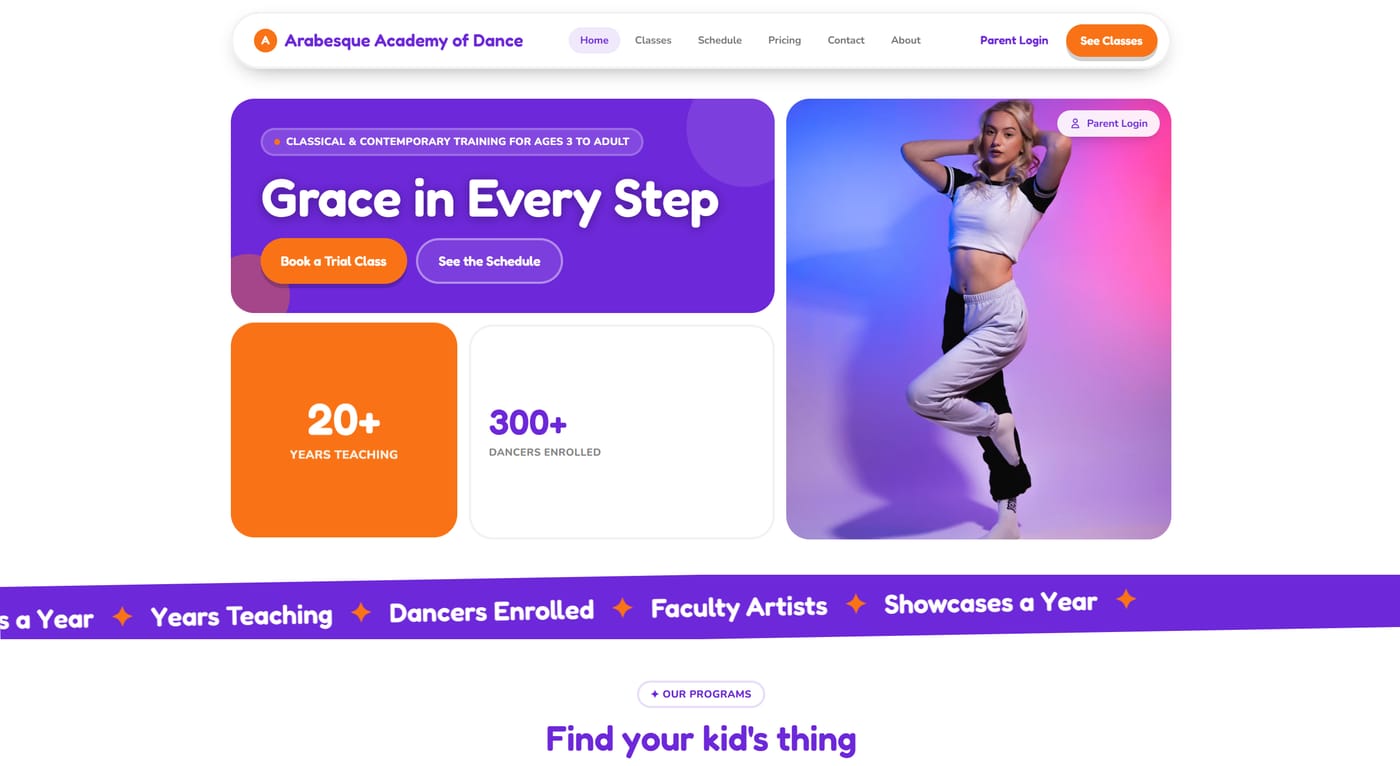
Haven website template

Haven

Boutique ballet, preschool dance, enrichment

Atlas website template

Atlas

Dance, gym, music, multi-discipline studios

Soda website template

Soda

Preschool, kids dance, bold-color brands

Arcade website template

Arcade

Multi-sport kids centers, trampoline parks

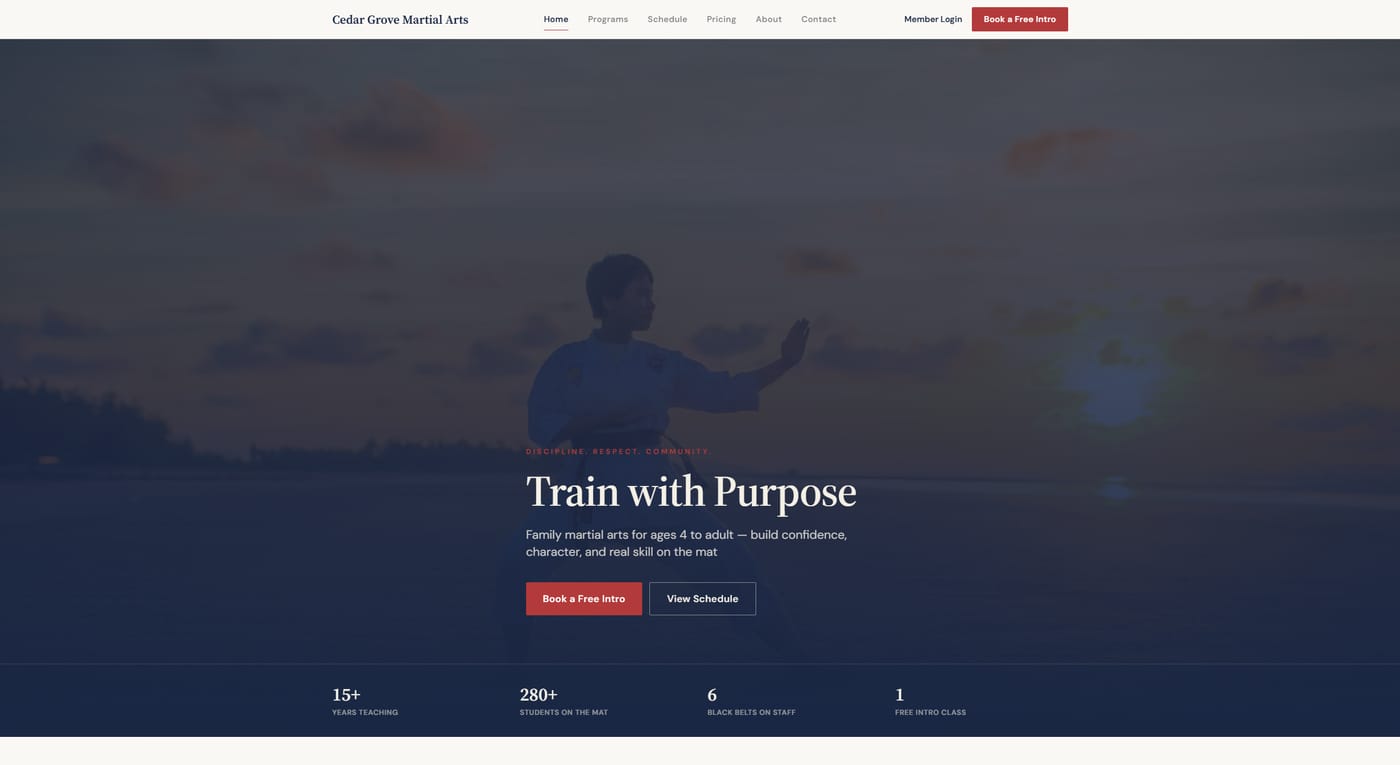
Dojo website template

Dojo

Karate, taekwondo, kung fu, BJJ

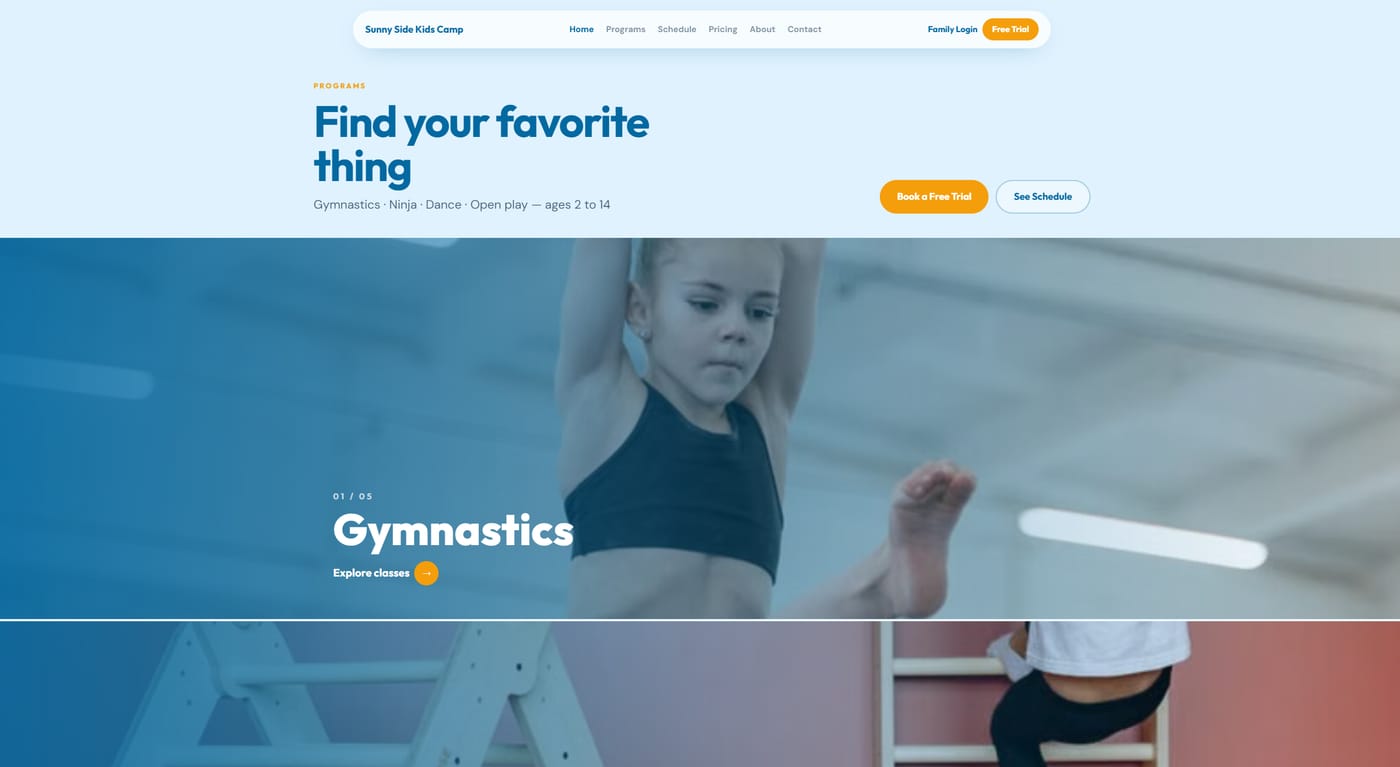
Billboard website template

Billboard

Rec gyms, camps, kids clubs

Clubhouse website template

Clubhouse

Family studios, after-school programs

  • 9 templates with 35 color themes, or set your own brand colors
  • Classes, schedules, prices, and locations pulled from ClassCTRL
  • Enroll buttons that open your customer portal on the right program
  • Holiday closures shown automatically
  • Free-trial and contact forms that email your front desk
  • Your own domain with automatic SSL, or a free ClassCTRL address
  • Custom pages built from blocks: text, photos, galleries, video, FAQs, downloads
  • Announcement banner, testimonials, pricing tiers, and facility gallery
  • SEO titles and descriptions, Google Analytics, and Facebook Pixel
  • Private preview, one-click publish, and one-click revert to earlier versions
Staff Tools

Staff Mobile App & Kiosk

Empower your team with a purpose-built mobile app, and centrally manage locked-down staff tablets with kiosk mode.

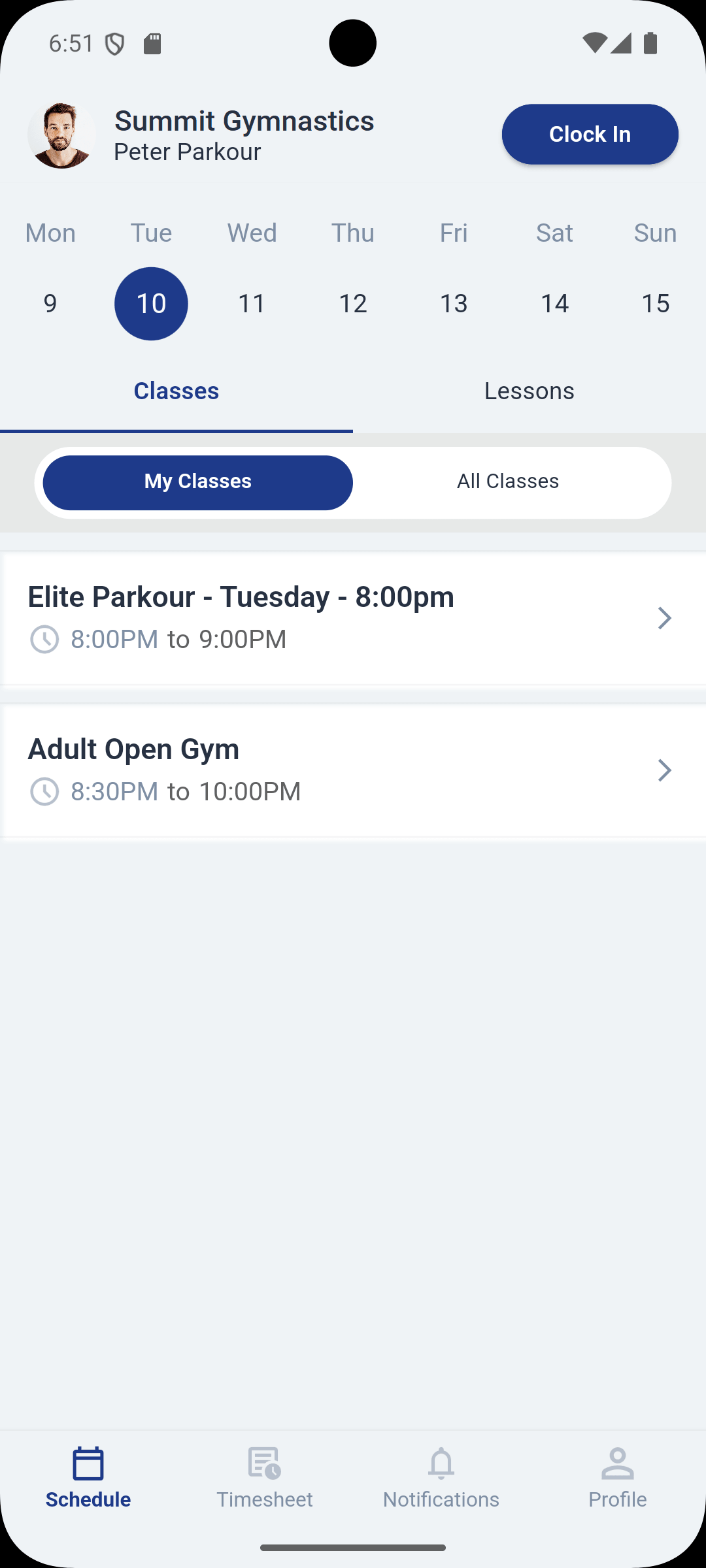
  • Daily schedule view with class details
  • GPS-verified clock-in/out
  • Real-time attendance marking
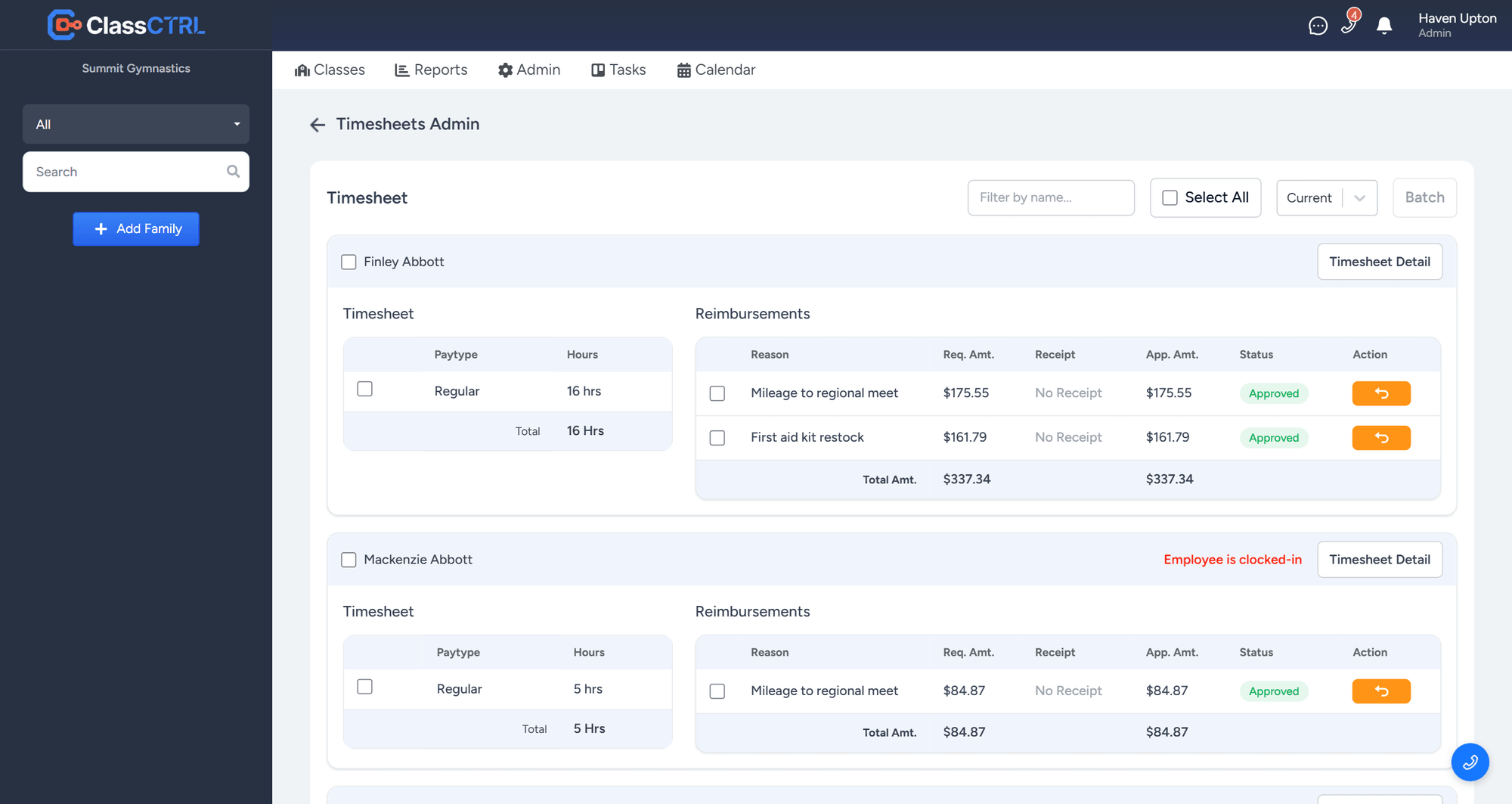
  • Timesheets with automatic hour calculation
  • Payroll batching and reimbursement tracking
  • Push notifications for schedule changes
  • Kiosk mode with API key authentication
  • Location-filtered class display
Staff mobile app schedule view
Staff mobile app attendance view
Timesheet admin showing each staff member's hours and reimbursements for the pay period
Time & Payroll

Staff Time Tracking

Hours and reimbursements land in one place, so getting ready for payroll takes minutes instead of an afternoon.

  • Staff clock in and out from the mobile app, verified by GPS
  • Hours add up on each staff member's timesheet automatically
  • Timesheets grouped by pay period, with pay types like regular hours
  • Staff submit reimbursements, and you approve them right next to their hours
  • See at a glance who is still clocked in
  • Batch a pay period when it's ready for payroll
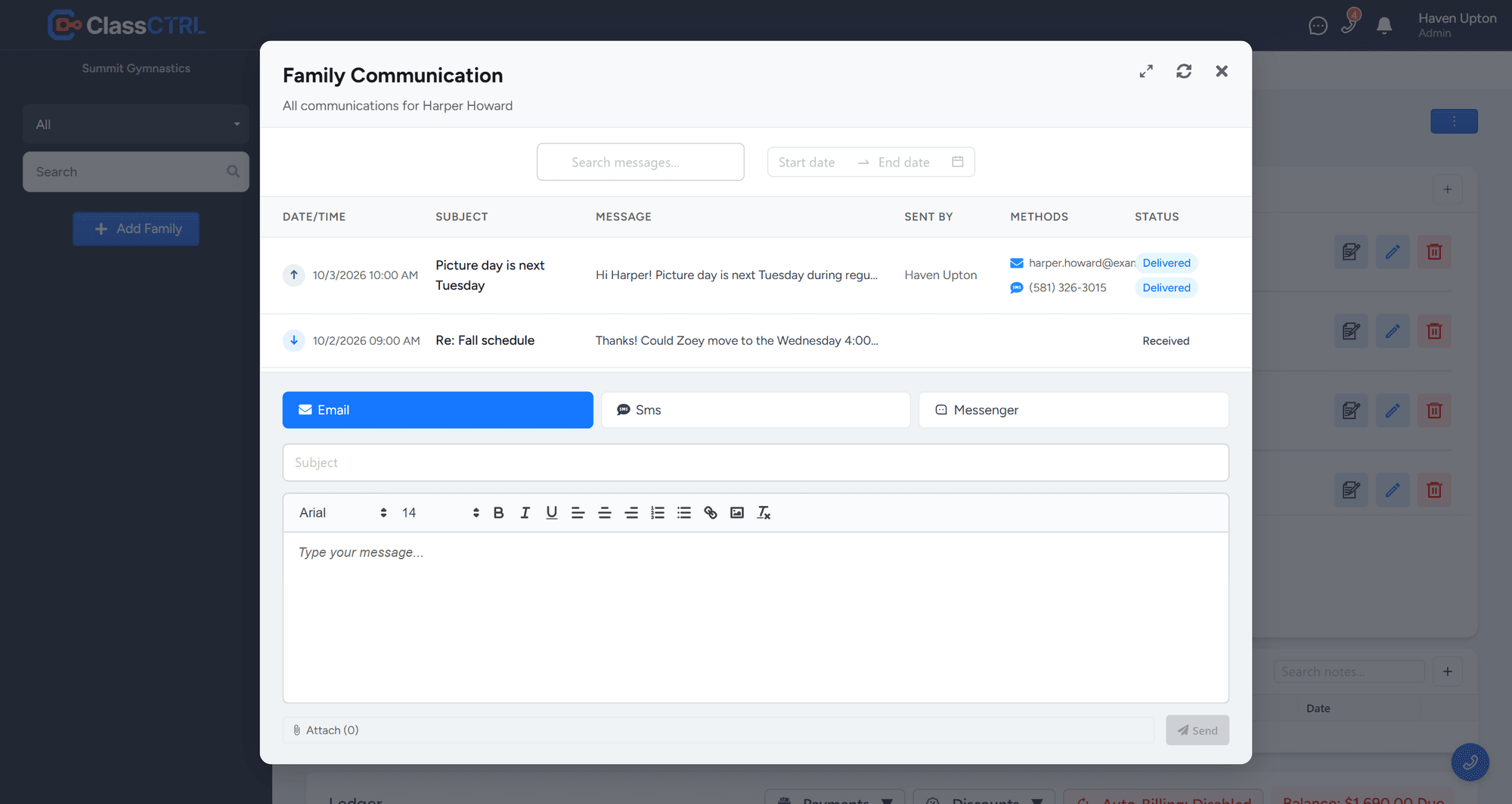
Messaging and communication interface
Messaging

Messaging & Communication

See the whole conversation with each family in one place, so anyone on your team can pick up where someone else left off.

  • Every email with a family in one place, plus texts, phone calls, and voicemails when you use the ClassCTRL Phone system
  • Connect the email you already use, like Microsoft 365 or any IMAP inbox, so replies from families show up in ClassCTRL
  • Two-way texting from your studio's number
  • Message a whole class or a group of families at once
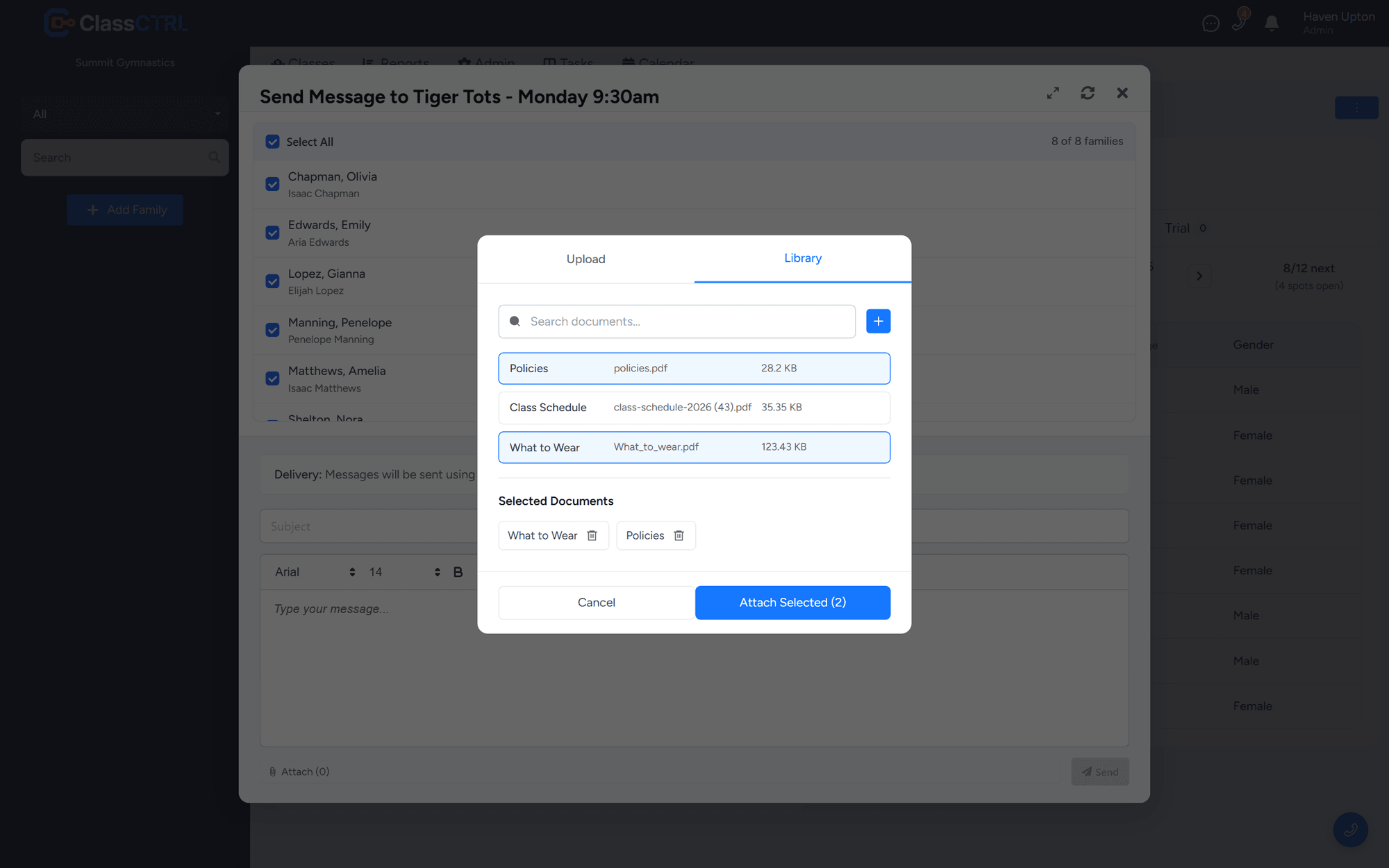
  • Attach files, or pick documents from your library
  • See when each message is delivered

Texting, calls, and voicemails use the optional ClassCTRL Phone & SMS add-on.

Phone System

Built-In Phone System

Your studio line lives inside ClassCTRL, so every call is tied to the family it came from and nothing falls through the cracks.

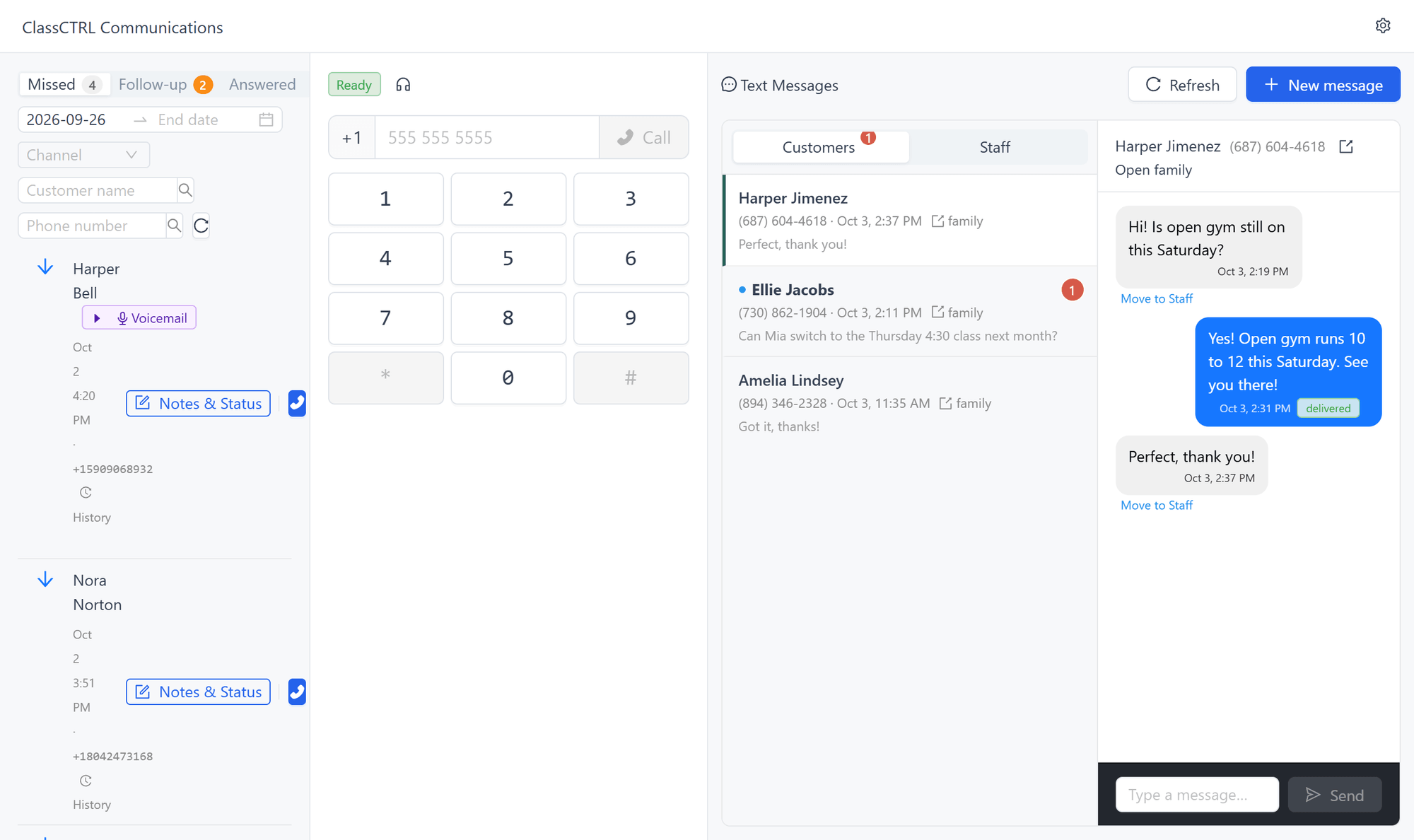
  • Make and receive calls in your browser, with a pop-out window for the front desk
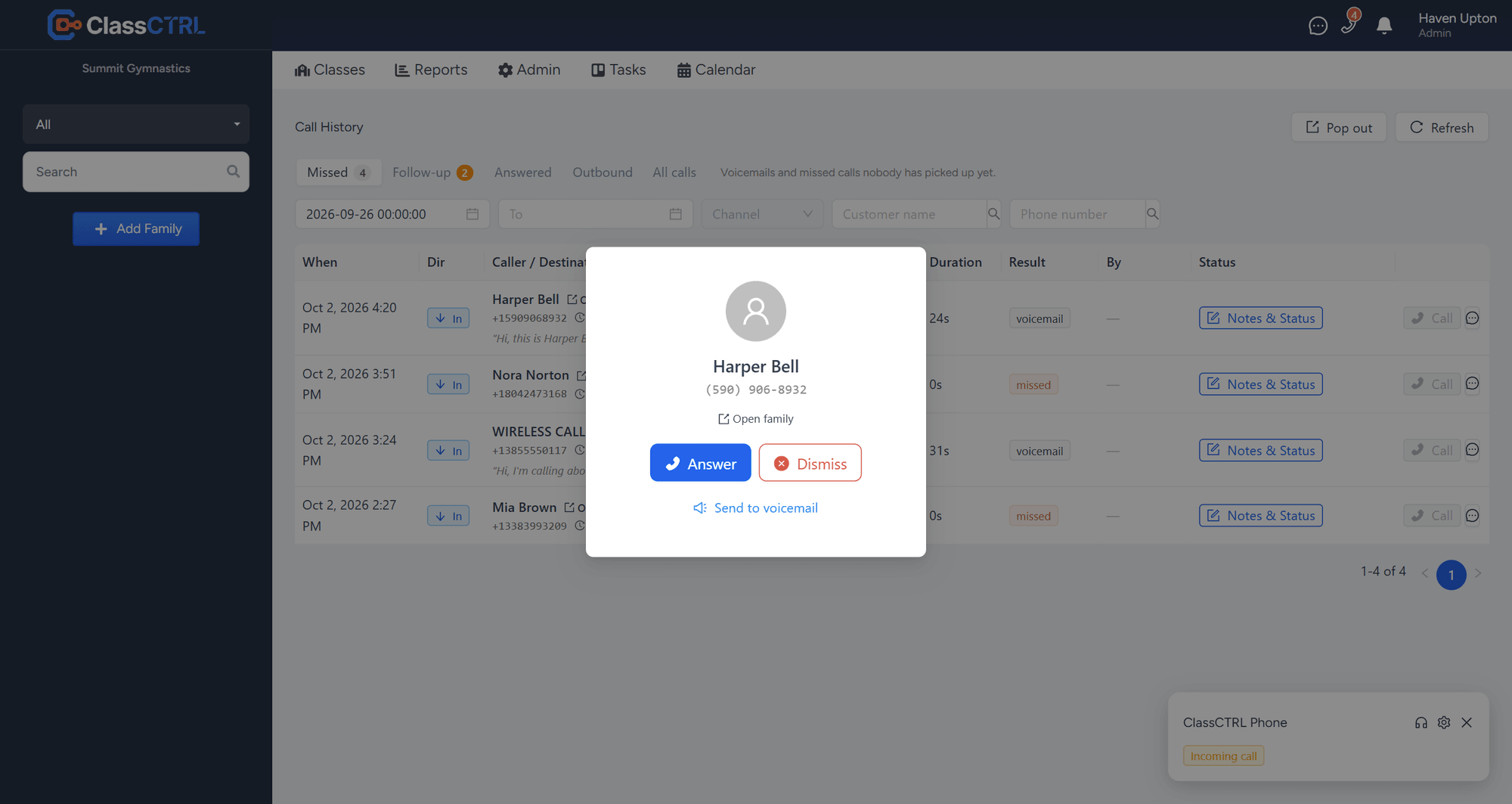
  • Incoming calls show the matching family, with a link straight to their record
  • Click-to-call from any family page
  • Call history with Missed, Follow-up, Answered, and Outbound tabs
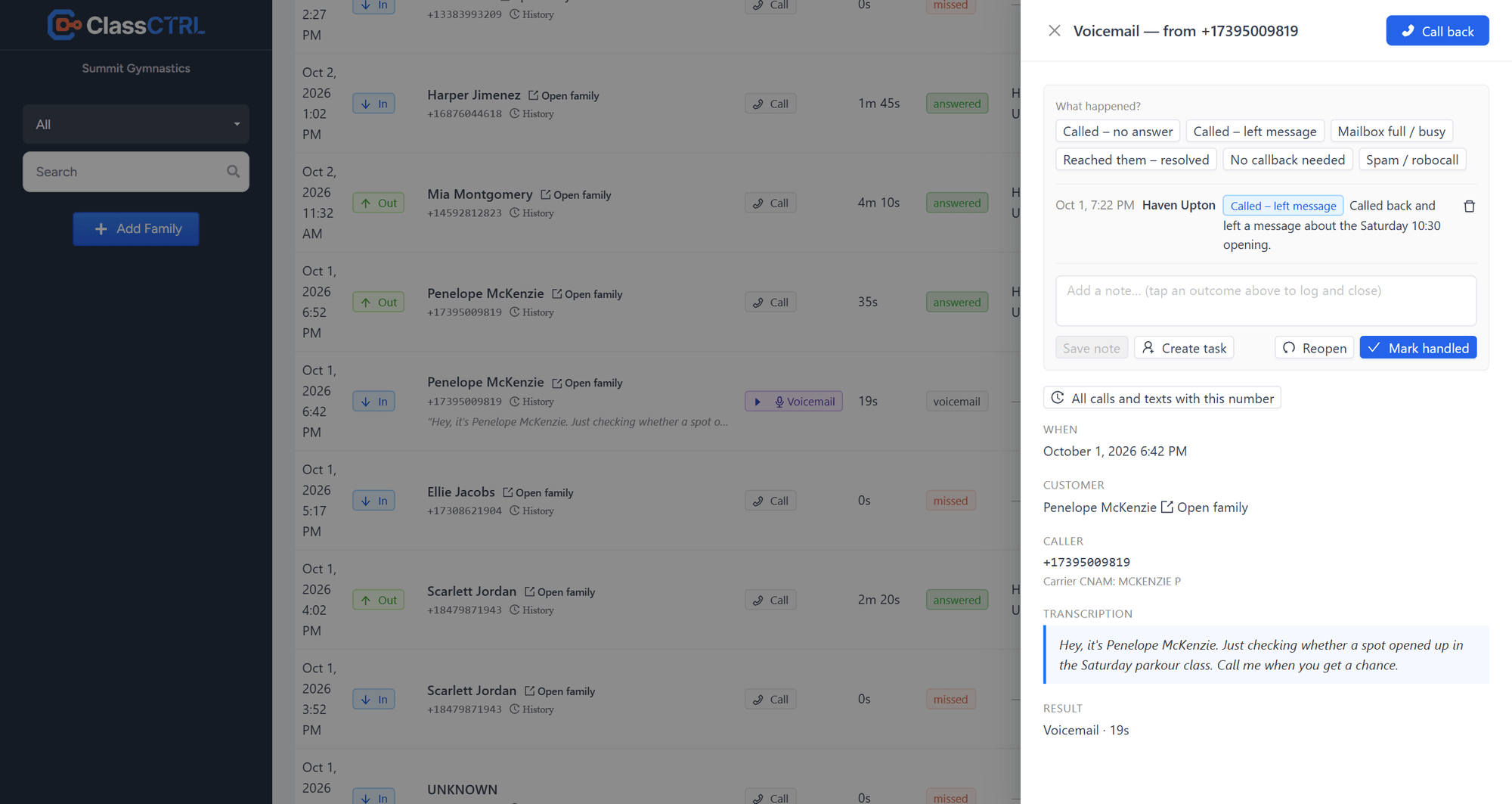
  • Missed-call tracking so every parent gets called back: log what happened in one click, and the team sees who already called
  • Voicemail with transcripts, sent to your email
  • Custom voicemail greetings for closures, holidays, and lunch
  • Forward calls to a mobile, or switch on Away to send callers to voicemail
  • Keep your existing number, or choose a new one
  • Calling and texting on the same number
  • Desk phones ring alongside the browser

Phone and SMS are optional add-ons. Turn them on when you need them.

Pop-out phone window with call history, dialer, and text messages
Incoming call matched to a family, with Answer, Dismiss, and Send to voicemail
Voicemail transcript with call-back notes and outcome buttons
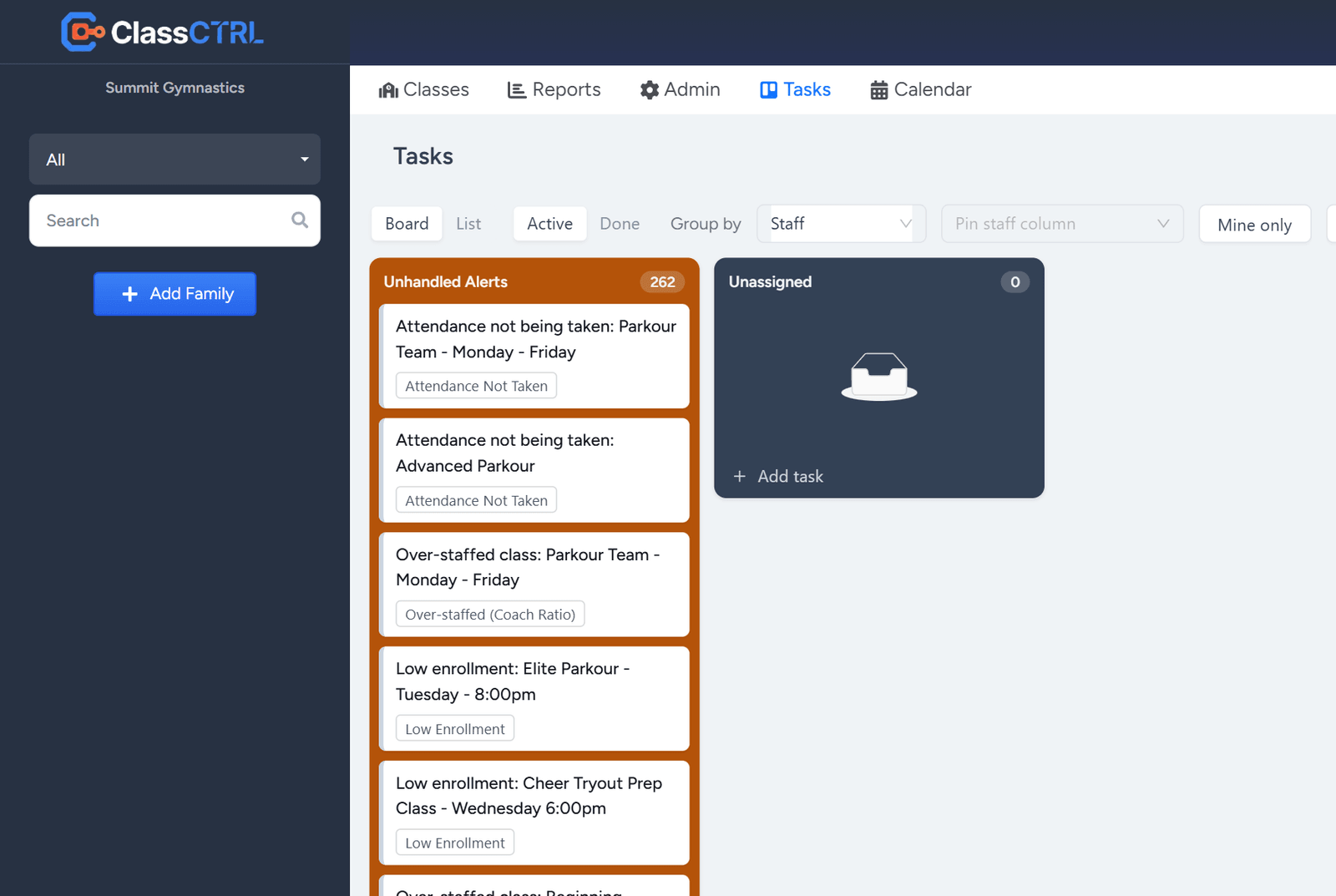
Task board with automatic alerts and staff assignments
Tasks & Alerts

Tasks, Alerts & Follow-Up

ClassCTRL watches your classes and tells you what needs attention, then gives your team one place to work through it.

  • Automatic alerts for low enrollment, missed attendance, and at-risk students
  • Staffing alerts when a class is over or under coach ratio
  • Shared task board with assignees, watchers, and due dates
  • Turn a missed call into a task for the right person
  • Choose who is notified about what, by email or in the app
  • Saved worklists to work through a group of families or students
Reporting

Reporting & Administration

Get the insights you need to grow your business with powerful reporting and admin tools.

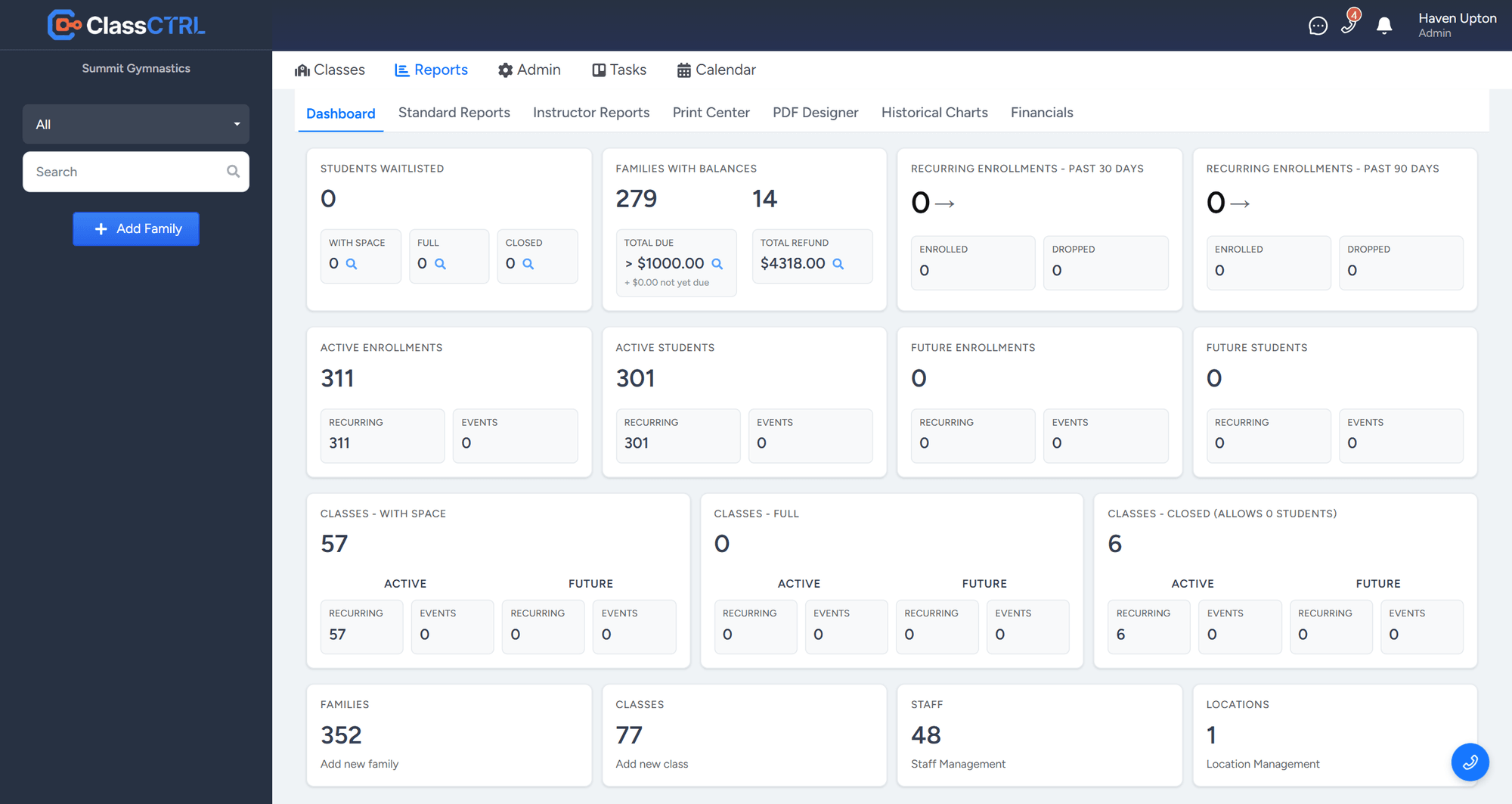
  • Dashboard with key business metrics
  • Family and student reports with filters
  • CSV export for any report
  • Class profitability and monthly profit & loss
  • Trend charts and drag-and-drop pivot reports
  • Print center for rosters and schedules
  • Role-based permissions and access control
Reporting dashboard and administration
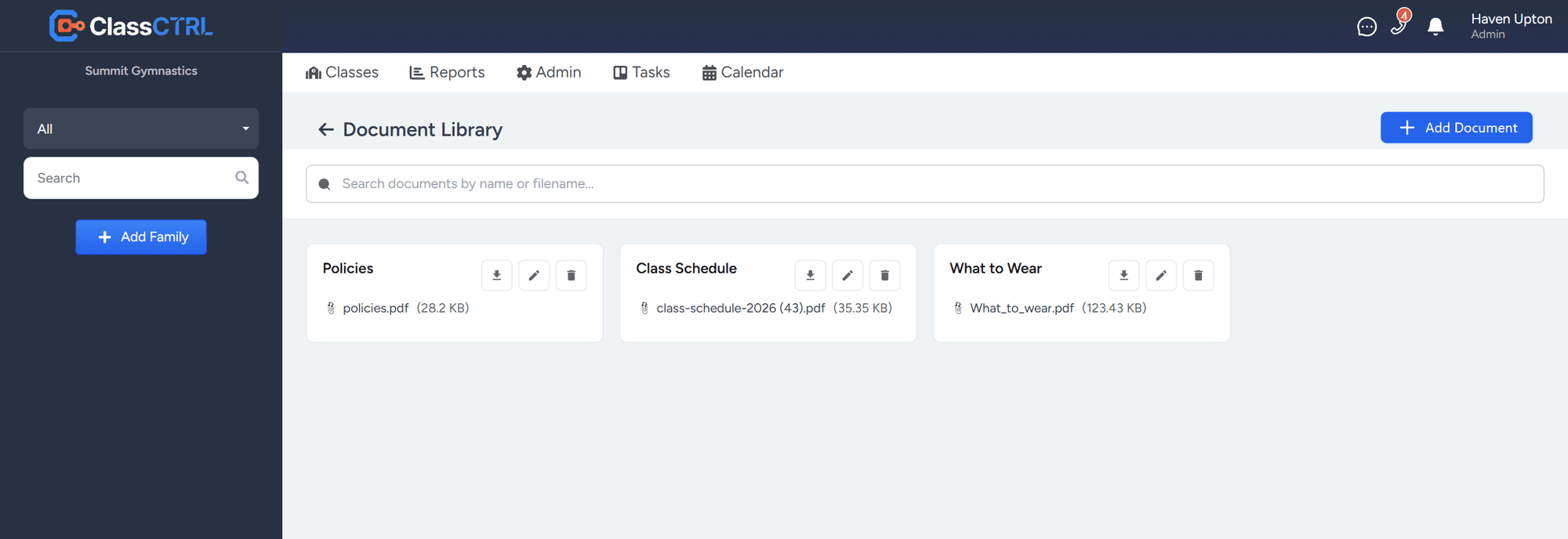
Document library with policies, a class schedule, and a what-to-wear guide
Attaching documents from the library to a message for a whole class
Documents

Document Library

Keep your forms, schedules, and handouts in one place, and use them anywhere you reach families.

  • Upload forms, schedules, policies, and handouts once
  • Attach library documents to a message for one family or a whole class in a couple of clicks
  • Add a Downloads section to any page of your website, linked straight from your library
  • Find any document fast by searching its name or filename

Ready to Get Started?

ClassCTRL is in early access. Partners get personal setup help, free data import, and reduced pricing during early access and for a period after it ends.